
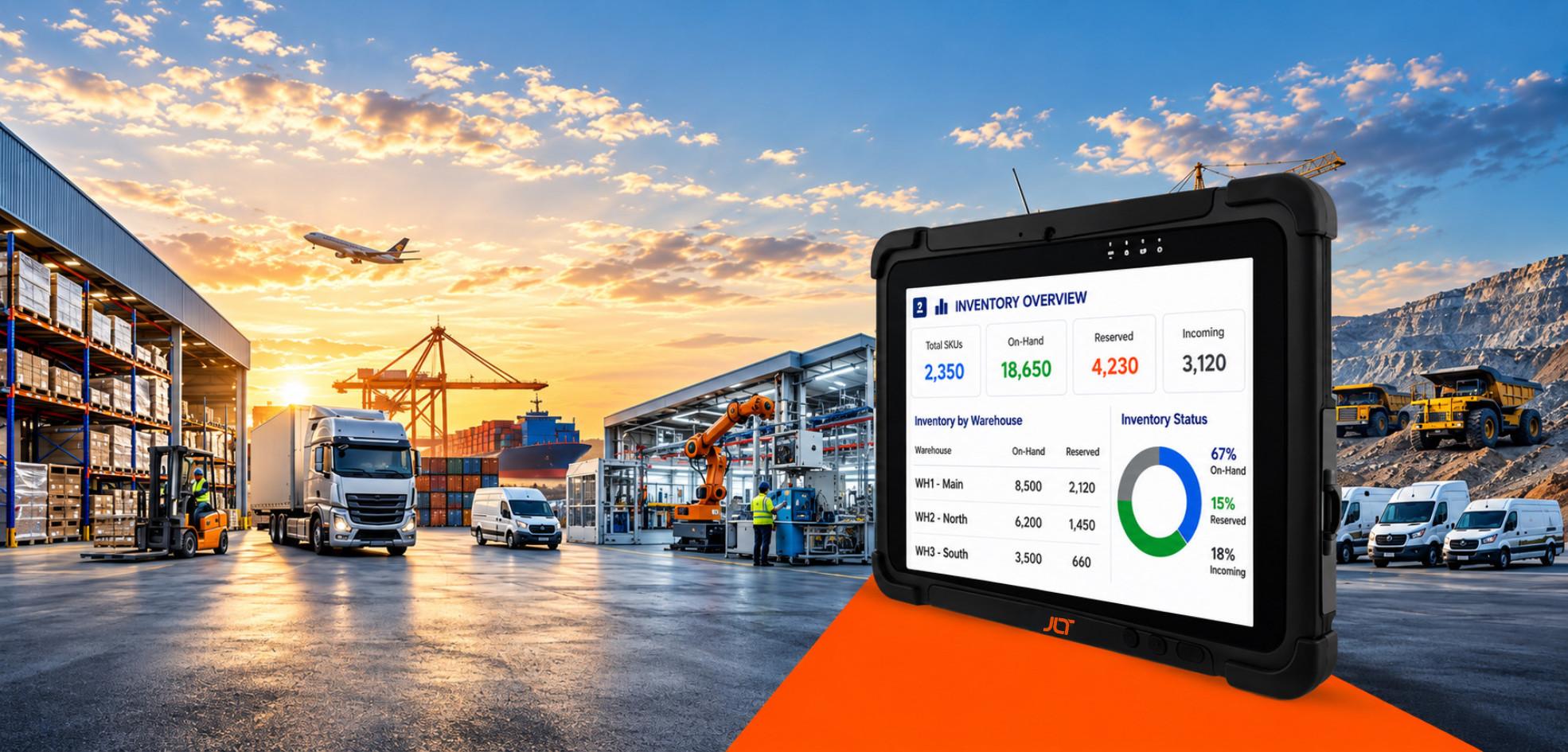
The working environment may change. The workflow shouldn’t.
From cold storage and warehouse aisles to vehicles and outdoor field sites, workers need reliable access to applications, data, and communication throughout the shift. Yet operational disruption can start small—a screen that becomes difficult to use with gloves, an unstable connection, a battery that cannot last the shift, or a device taken out of service after a drop. Across teams and sites, these interruptions can translate into lost productivity, increased downtime, and higher support costs.
A rugged tablet for field work is designed to reduce these points of disruption. Built for demanding conditions and continuous industrial use, it helps keep workers connected and workflows moving while supporting greater uptime and a more predictable total cost of ownership over the device lifecycle.
This guide helps you evaluate rugged tablets from an operational perspective—starting with workflow continuity and application requirements, then identifying the specifications needed to perform reliably in the field.
What is a rugged tablet for field work?
A rugged tablet is an industrial-grade mobile computer engineered to run enterprise applications reliably in conditions — dust, moisture, vibration, temperature extremes and repeated drops — that cause consumer tablets to fail. It is a fixed part of the workflow, not an accessory.
What sets rugged tablets apart from consumer devices?
The two look alike on a desk. They behave nothing alike on a loading dock.
| Feature | Consumer Tablet | Rugged Tablet |
| Durability | General everyday use | Designed for harsh industrial environments |
| Protection | Limited | Tested for drops, vibration and environmental exposure |
| Outdoor Visibility | Standard display | High-brightness, sunlight-readable display |
| Lifecycle | Frequent replacement | Long enterprise product lifecycle |
| Accessories | Limited | Vehicle docks, barcode readers, industrial mounts and more |
JLT Insight: For JLT, ruggedness is only part of operational reliability. The right solution must fit the application, perform consistently in the workflow, and be backed by long-term product support and a partnership that helps keep operations moving.
Why are rugged tablets essential for industrial mobility?
Industrial teams need reliable access to operational data and business applications wherever work is being carried out. Rugged tablets support this by enabling field personnel to access enterprise systems, capture inspection data, scan assets, navigate routes, communicate with colleagues, and update records in real time. The result is improved productivity, faster decision-making, reduced paperwork, greater data accuracy, and better operational visibility.
Which field operations benefit most?
Any environment where work moves and information must move with it: warehousing, transportation and logistics, manufacturing, field service, utilities and energy, construction, mining, public safety and fleet management. Because a single platform can support several of these workflows, many organizations standardize across departments to simplify support.
Why rugged tablets matter in modern field operations
As organizations continue digitizing their operations, reliable mobile computing has become essential for maintaining productivity across distributed teams, making a rugged tablet for field work a critical part of modern industrial operations.
How does reliable mobile computing improve productivity?
Workers no longer need to return to a fixed workstation to update records or retrieve information. Rugged tablets enable faster barcode scanning, digital inspections, work order management, inventory updates, proof of delivery, and maintenance reporting directly from the point of work, reducing delays and improving operational efficiency.
Why does device reliability reduce operational downtime?
Every unexpected device failure can delay operations, interrupt workflows, and increase support costs. Rugged tablets help reduce downtime by offering reliable hardware, extended product lifecycles, durable construction, enterprise-grade components, and accessories designed for continuous industrial use.
How do rugged tablets keep operations moving?
Enterprise rugged tablets integrate high-performance computing, all-day battery life, advanced connectivity, location services, barcode scanning, and business application support into a single device built for continuous industrial use.
The essential capabilities every rugged tablet should offer
Choosing the right rugged tablet means evaluating features that directly affect performance in your operating environment.
What makes a rugged tablet durable?
A rugged tablet is built to withstand demanding work environments through three key characteristics: MIL-STD-810H testing for resistance to drops, shock and vibration, IP65 protection against dust and water and a reinforced chassis designed to handle daily industrial use. Together, these features help minimize downtime and keep workers productive in challenging conditions.
JLT Insight: JLT rugged tablets incorporate these durability standards throughout their industrial portfolio, enabling businesses to deploy devices that withstand demanding warehouse, manufacturing, transportation, and field service environments.
What display features matter during field work?
A high-quality display improves usability in challenging environments. Look for sunlight readability to maintain visibility outdoors, optical bonding to reduce reflections, anti-glare displays for improved clarity, and glove- and rain-touch support so workers can continue operating the device in wet conditions or while wearing protective equipment.
What battery features reduce downtime?
Long shifts demand reliable battery performance. Features such as hot-swappable batteries allow battery replacement without shutting down the device, while warm-swappable batteries minimize interruptions. Combined with extended battery performance, these capabilities help maximize uptime in the field.
Which connectivity features support mobile operations?
Reliable connectivity keeps mobile workers productive. Key features include warehouse Wi-Fi, 4G & 5G connectivity, GPS & GNSS for navigation and asset tracking, and NFC & barcode reader support for faster identification, inventory management, and data capture.
Windows vs Android rugged tablets: which platform fits your operations?
The right choice depends less on the operating system itself and more on how well it fits your business processes and technology ecosystem.
| Windows Rugged Tablets | Android Rugged Tablets |
| Best for enterprise and legacy software | Best for mobile-first workflows |
| Familiar desktop environment | Intuitive touch-first experience |
| Common in manufacturing and industrial facilities | Popular in field service and warehouse operations |
| Supports many existing Windows business applications | Optimized for modern cloud-based mobility |
When should you choose a Windows rugged tablet?
When your operation runs on enterprise applications, legacy software or established industrial workflows tied to Windows-based ERP, MES and warehouse systems. Compatibility without redevelopment is the deciding factor in most manufacturing, warehousing and logistics environments.
When is an Android rugged tablet the better choice?
When you have a mobile workforce, field-service teams or warehouse operations built on cloud applications. A touch-first interface, quick deployment and short training time suit workers who spend the day away from a desk.
How to choose the right operating system for your operations
The one that matches your software ecosystem. For Windows-based enterprise workflows, JLT’s MT Series Windows rugged tablets deliver the compatibility and performance required. For mobile-first, cloud-connected fieldwork, the MT7010A Android tablet delivers the flexibility.
JLT Insight: JLT offers both Windows and Android rugged tablets, enabling organizations to choose the platform that best aligns with their operational workflows rather than adapting their workflows to the device.
Where are rugged tablets used?
Rugged tablets support mobile workers across a wide range of industries where durability and reliable connectivity are essential.
Warehousing
Improve inventory accuracy, barcode scanning, order picking, and warehouse management through real-time access to WMS applications.
Transportation & logistics
Support route management, proof of delivery, fleet inspections, shipment tracking, and driver communication while on the move.
Field service
Access work orders, maintenance records, service manuals, and customer information directly at the job site.
Manufacturing
Enable production reporting, quality inspections, equipment maintenance, and digital work instructions across the factory floor.
Utilities & energy
Assist with asset inspections, GIS mapping, maintenance scheduling, and infrastructure management in remote or challenging environments.
Mining & construction
Provide reliable access to project documentation, equipment inspections, safety reporting, and field communication in harsh outdoor conditions.
Why mobility matters in industrial operations
Industrial employees frequently move between vehicles, warehouses, production areas, and customer sites. Mobile technology must support these changing environments without interrupting productivity.
Vehicle-mounted vs handheld workflows
Many organizations require workers to transition between working inside vehicles, working outside vehicles, and switching between both throughout the day. Rugged tablets with docking solutions offer this flexibility while maintaining access to business applications and real-time data.
How mobility improves productivity
Greater mobility helps organizations reduce paperwork, accelerate data capture, improve communication, shorten response times, enhance operational visibility, and enable faster decision-making.
Accessories that extend rugged tablet capabilities
| Accessory | Primary Benefit |
| Docking Stations | Convenient charging and desktop connectivity |
| Vehicle Mounts | Secure operation inside vehicles |
| Barcode Readers | Faster inventory and asset management |
| RFID & NFC | Quick identification and authentication |
| Stylus & Keyboards | Improved accuracy and easier data entry |
| External Antennas | Enhanced wireless performance in challenging environments |
What should you consider before choosing a rugged tablet?
| Consideration | Why It Matters |
| Working Environment | Match durability to your operating conditions. |
| Connectivity Requirements | Ensure support for Wi-Fi, 4G/5G, GPS, Bluetooth, and scanning technologies. |
| Software Compatibility | Verify compatibility with your existing business applications. |
| Total Cost of Ownership | Consider maintenance, repairs, battery replacement, and device lifespan—not just purchase price. |
| Long-Term Support | Choose a solution backed by ongoing product availability and technical support. |
JLT Insight: Selecting a rugged tablet is about aligning the device with operational workflows rather than choosing the highest specification. JLT recommends evaluating environmental conditions, application requirements, connectivity, and lifecycle support to maximize long-term productivity.
Expert Buying Tip: Before selecting any rugged tablet, ask three simple questions:
- Where will employees use the device?
- Which applications must it support?
- How many years do you expect the deployment to last?
Answering these questions first makes it easier to identify the right rugged tablet than comparing specification sheets alone.
How JLT rugged tablets support industrial mobility
Since 1983, JLT Mobile Computers has built rugged computing for demanding industrial environments — devices designed to keep working when conditions do not cooperate.
Mt7010a for android-based field operations
The MT7010A combines Android 13 and Qualcomm 6490 performance with Wi-Fi 6E and optional 4G/5G to keep mobile teams connected to applications and data across changing work environments. Its 800-nit optically bonded display, IP65 protection, MIL-STD-810H compliance, optional barcode scanning and NFC, and warm-swappable battery support reliable data capture, outdoor usability, and longer uptime throughout demanding field workflows.
Mt series Windows rugged tablets
For operations built around Windows applications and established industrial workflows, JLT’s MT Series combines enterprise software compatibility with rugged hardware designed for reliable, long-term use.
- MT2010P: Windows 10 IoT Enterprise, optional LTE and GPS, barcode capabilities, and a hot-swappable battery support established Windows workflows while helping mobile teams maintain connectivity and uptime throughout the shift.
- MT5010AD: Windows 11 IoT Enterprise LTSC and Intel® Core™ i5-1235U performance provide the application compatibility and computing power needed for more demanding industrial workflows, while supporting a stable, long-term Windows environment.
Accessories and device customization
Vehicle docks, charging solutions, mounting systems, keyboards, barcode scanners, and other accessories allow organizations to configure devices for their specific workflows.
Jlt:care and lifecycle support
JLT:Care helps maximize device uptime through lifecycle services, maintenance, and professional technical support.
Frequently asked questions
What is a rugged tablet for field work?
What makes a rugged tablet different from a consumer tablet?
Should I choose Windows or Android for fieldwork?
What IP rating should a rugged tablet have?
What is MIL-STD-810H?
Can rugged tablets be used in rain and extreme temperatures?
Can rugged tablets replace vehicle-mounted computers?
Which industries benefit most from rugged tablets?
How long do rugged tablets typically last?
Are rugged tablets worth the investment?
Match the device to your environment and workflow — that’s what turns a rugged tablet into years of uptime. Tell us about your operation, and JLT will help you match the right device.