
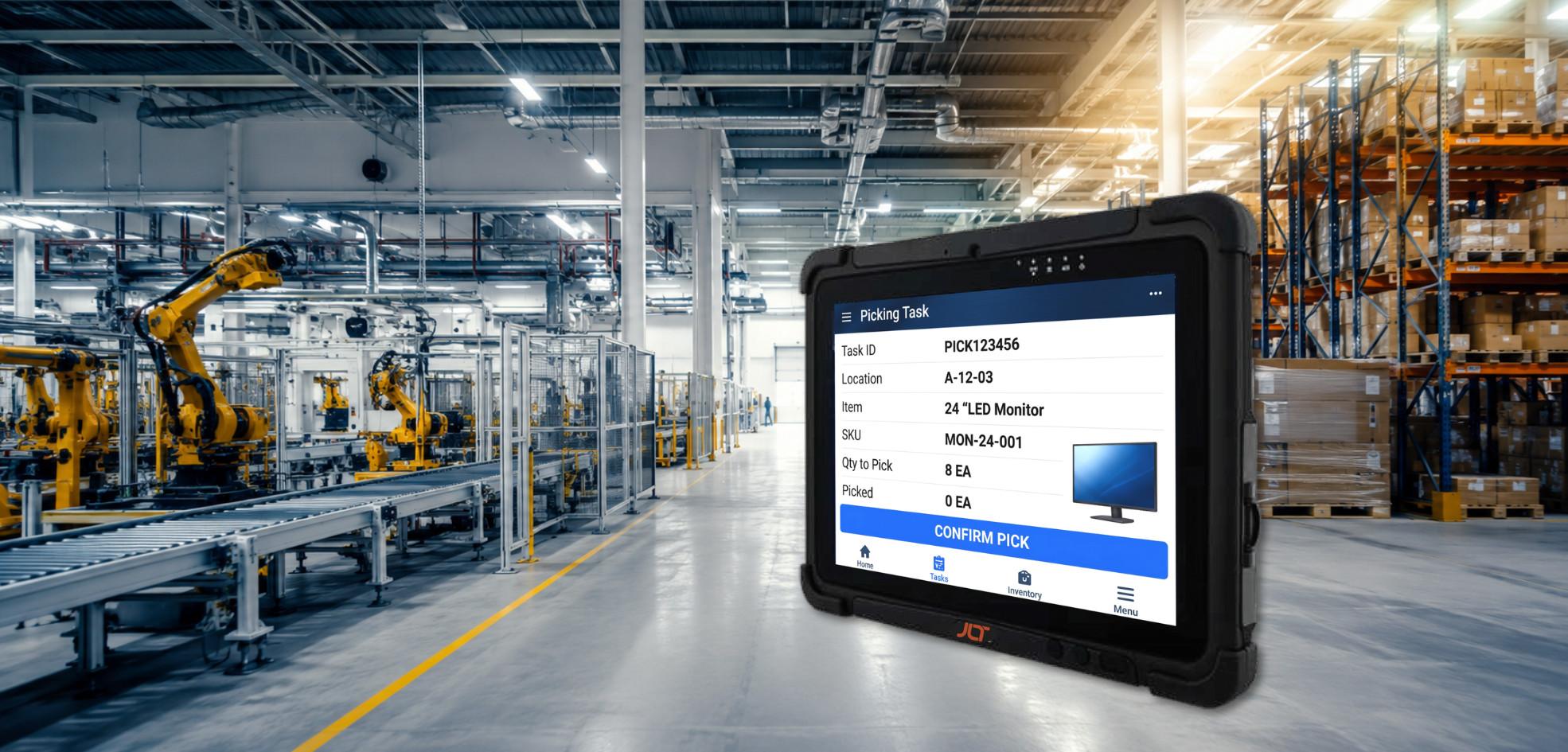
When warehouse WMS workflows run on consumer tablets that freeze mid-pick, lose connectivity in dense racking, or fail within months on a cold-storage dock, the problem isn’t the operating system—it’s hardware that was never engineered for the environment.
A purpose-built Android rugged tablet is a different type of platform. It combines Industrial Android x86 with sealed, MIL-STD-810H-validated hardware, enterprise fleet management, and touchscreen-first workflows suited to demanding industrial operations.
For US warehouses, manufacturing facilities, logistics operations, food and beverage sites, and field teams, the right platform must do more than run business applications. It needs to remain usable through vibration, drops, dust, moisture, temperature changes, and demanding wireless environments.
This guide covers operating system decisions, construction standards, display requirements, connectivity options, and management capabilities that determine the right choice for demanding deployment.
What is an Android rugged tablet? (quick answer)
An industrial tablet running an x86 mobile operating environment combines touchscreen usability with sealed, MIL-STD-810H-validated hardware engineered for environments that can quickly damage consumer tablets.
The best options combine PowerTouch glove-friendly displays, WiFi 6E, WWAN connectivity, enterprise management, and long-term service programs.
The result is a mobile computing platform intended for continuous use rather than short consumer replacement cycles.
-
What makes an industrial tablet different from a consumer Android device?
Consumer products are generally optimized for app-store usability, portability, and relatively short replacement cycles.
Industrial tablets are engineered around durability and continuous operation. Sealed housings protect against dust and moisture, reinforced architectures help withstand shock and vibration, and wide temperature specifications support environments where consumer electronics may struggle.
A consumer product placed inside a protective case is still fundamentally a consumer platform. The underlying architecture, connectors, display, battery, and thermal system may not be suitable for demanding work environments.
-
Why are US industrial operations moving to Android?
Several factors are accelerating interest in mobile industrial computing.
Windows 10 reached end of support in October 2025, prompting organizations to evaluate their next-generation computing strategy. At the same time, modern WMS, ERP, field service, and workflow applications increasingly offer touchscreen-first experiences.
The enterprise ecosystem also gives IT teams tools for enrollment, application deployment, protection policies, and remote fleet management at scale.
What is industrial Android?
Industrial mobile computing sits between consumer hardware and traditional Windows-based industrial computers.
Understanding the differences between these platforms helps organizations determine whether this approach is appropriate for their workflows, software environment, and IT infrastructure.
-
How is industrial Android different from consumer Android?
Although both platforms use similar underlying technology, their intended use cases are very different.
Industrial x86 platforms are configured around enterprise protection, fleet management, predictable software lifecycles, and rugged hardware. Consumer products are primarily optimized for general-purpose applications and consumer services.
Industrial deployments may also require greater control over applications, system configuration, updates, and protection policies than consumer platforms typically provide.
-
Industrial Android x86 vs standard Android — key differences
Industrial x86 computing runs on the same processor architecture commonly used in traditional Windows industrial computers.
This can provide compatibility advantages for organizations using existing industrial software and hardware platforms based around x86 computing.
The architecture is combined with rugged hardware components and enterprise-oriented software configurations intended for long-term deployment.
-
Gms vs non-gms Android — what matters for industrial deployments
Google Mobile Services can be useful when applications depend on Google’s consumer ecosystem. However, some industrial environments require tighter control over applications, services, system configuration, and software updates.
Non-GMS configurations can reduce dependencies on consumer services and give IT teams greater control over the deployed software environment.
The appropriate configuration depends on the organization’s application requirements, protection policies, and management strategy.
What ruggedness standards apply to industrial devices?
An industrial operating system cannot compensate for hardware that fails in the field.
The physical platform needs to be engineered and tested for the environments operators encounter.
-
Ip ratings for industrial devices
IP65 provides full protection against dust and protection against low-pressure water jets.
IP66 adds protection against powerful water jets and can be particularly useful in food and beverage, cold-storage, washdown, and other moisture-intensive environments.
The appropriate rating should be determined by actual operating exposure rather than selected simply because it represents a higher specification.
-
Drop, shock, and vibration resistance explained
MIL-STD-810H testing provides a recognized framework for evaluating equipment against environmental stresses including shock, vibration, and drops.
For industrial computing, durability should also extend to the internal architecture. Board-to-board connectors, secure component mounting, shock-absorbing structures, and reinforced housings can all contribute to longer service life.
Not sure which platform fits your operation?
Why US industrial operations are adopting Android
The platform is becoming part of a broader shift toward touchscreen-first workflows.
Rather than simply replacing one operating system with another, organizations are evaluating how operators interact with WMS, ERP, maintenance, inspection, and field applications.
-
How does Android support modern touchscreen workflows?
Many modern industrial applications are built around touch interaction.
Large touch targets, intuitive navigation, digital forms, barcode workflows, and mobile applications can simplify operator interactions compared with older interfaces designed primarily around keyboards and physical input devices.
For high-turnover environments, a familiar touchscreen experience can also reduce training time.
-
What advantages does Android offer over legacy Windows in some environments?
This platform can be particularly effective where the application environment is already mobile-native and workflows are primarily touch-driven.
Operators can interact directly with applications using familiar mobile conventions, while IT teams can use enterprise management frameworks to configure and monitor hardware.
However, this approach is not automatically the right choice for every industrial environment. Existing application compatibility, infrastructure, protection requirements, and workflow design should all be evaluated before migration.
-
How does Android enterprise support fleet management and security?
Enterprise management capabilities provide tools for enrolling, configuring, protecting, and managing mobile hardware.
When combined with platforms such as SOTI MobiControl or Ivanti Neurons for MDM, IT teams can manage application deployment, policies, remote assistance, protection controls, and lifecycle activities across extensive fleets.
Centralized management is especially important when dozens or hundreds of units are deployed across multiple facilities.
-
Why is the Windows 10 end of support driving Android adoption?
Windows 10 reached end of support in October 2025, making operating system strategy an important consideration for organizations still operating legacy Windows fleets.
Some companies will migrate to Windows 11 IoT LTSC to maintain application continuity. Others may use the refresh cycle as an opportunity to move touchscreen-first workflows to a mobile platform.
The appropriate approach depends on application compatibility and the organization’s broader IT strategy.
Where are these devices used in the usa?
Rugged mobile platforms can support a broad range of workflows across warehouses, manufacturing facilities, transportation operations, food and beverage environments, and outdoor work sites.
The hardware configuration should reflect the specific environments in which operators work.
-
How do they support warehousing and WMS workflows?
Warehouse operators can use mobile hardware for picking, inventory management, scanning, replenishment, cycle counting, and task confirmation.
WiFi 6E can support high-density environments with many connected endpoints, while bright displays and glove-compatible touchscreens help operators remain productive throughout a shift.
The combination of durable hardware and touchscreen software can make digital workflows easier to deploy across busy warehouse environments.
-
How are they used on manufacturing plant floors?
Manufacturing teams can access digital work instructions, quality inspection forms, traceability information, production data, and MES applications directly at the point of work.
IP65 or IP66 sealing helps protect against dust and moisture, while MIL-STD-810H-tested construction can provide additional durability in environments with vibration and repeated handling.
PowerTouch technology also allows operators to interact with the display while wearing gloves.
-
How do they perform in food and beverage and cold storage?
Food and beverage operations can expose computing equipment to moisture, washdown procedures, temperature changes, and frequent handling.
Cold-storage environments add another challenge because equipment may move between freezer temperatures and ambient conditions.
Features such as IP66 sealing, automatic screen heaters, wide temperature specifications, and PowerTouch technology help maintain usability in these environments.
-
How do they support transportation, logistics, and field operations?
Transportation and logistics teams require access to dispatch information, routing, compliance records, vehicle information, and operational software while moving across extensive facilities.
WWAN connectivity can extend coverage beyond warehouse WiFi, while Private LTE can support dedicated wireless networks across expansive industrial campuses.
Sunlight-readable displays are also valuable when hardware is used outside.
Challenges with standard Android tablets in industrial environments
Consumer hardware can perform well in homes, offices, and general-purpose environments.
Industrial operations create a very different set of requirements.
-
Why do consumer Android devices fail in industrial conditions?
Consumer hardware may not be sealed against dust and moisture, may have housings and displays that are vulnerable to drops, and may not support reliable operation across extreme temperatures.
Touchscreens designed for bare fingers may also perform poorly when operators wear gloves.
Other limitations can include battery degradation in cold environments, reduced outdoor visibility, and software management models that are not intended for enterprise industrial fleets.
-
How do vibration, moisture, and temperature affect standard hardware?
Industrial equipment may experience vibration throughout the working day.
Repeated vibration can affect connectors and internal components, while moisture can reach electronics through openings that would not be acceptable in a sealed industrial platform.
Temperature extremes can also affect batteries, displays, processors, and other components.
When several factors occur simultaneously, equipment that was not engineered for these environments can experience accelerated wear or unexpected downtime.
-
What are the hidden costs of consumer Android in industrial operations?
The cost of unsuitable hardware extends beyond replacement units.
Organizations may also face IT assistance costs, operator downtime, WMS transaction errors, retraining requirements, configuration work, and compliance risks.
Across an extensive fleet, these indirect costs can quickly outweigh the initial savings from selecting consumer hardware.
What defines the best industrial tablet for US use?
The right industrial platform combines physical durability with display performance, connectivity, operating system support, and enterprise management.
Organizations should evaluate these elements together rather than focusing on a single specification.
-
What construction standards are required?
Independently verified construction and environmental testing should form the foundation of the selection process.
A platform intended for continuous industrial use should account for impact, vibration, dust, moisture, temperature, and long-term component reliability.
-
Sealed housing for dust and water resistance
IP65 or IP66 sealing can protect internal components from common industrial exposure.
The correct rating depends on whether the hardware will encounter dust, rain, washdown, condensation, or other environmental hazards.
-
Shock-resistant design for drop and impact protection
MIL-STD-810H validation provides evidence that the platform has been tested against defined environmental stresses.
Internal construction also matters. Board-to-board connectors, securely mounted PCBs, shock-resistant architecture, and a durable chassis can help reduce the impact of repeated handling.
-
What display performance does an industrial tablet need?
The display directly affects operator productivity.
A screen that cannot be read in sunlight, cannot recognize a gloved finger, or becomes difficult to use in cold conditions can interrupt the workflow.
-
High-brightness screens for industrial visibility
High-brightness displays improve readability in outdoor and high-light environments.
A display of 800 NITS or higher can provide useful visibility for many industrial applications, while higher-brightness configurations may be appropriate for direct sunlight.
-
Glove-friendly PowerTouch for industrial workflows
PowerTouch allows operators to interact accurately with the touchscreen while wearing gloves or using wet hands.
This capability can be especially useful in cold storage, food and beverage, manufacturing, maintenance, and outdoor environments.
-
What connectivity supports industrial operations?
Reliable connectivity keeps mobile applications synchronized with enterprise systems.
A lost connection can interrupt transactions, delay updates, and create data inconsistencies.
-
Wifi 6e for high-density industrial environments
WiFi 6E can provide high-performance wireless connectivity in compatible networks.
With theoretical speeds of up to 9.6 Gbps across the WiFi 6 family, the technology can support demanding high-density environments with many connected endpoints.
Actual performance depends on network infrastructure, configuration, interference, and deployment factors.
-
Wwan and private lte for outdoor and large-campus coverage
WWAN can extend connectivity beyond local WiFi infrastructure.
Private LTE can provide dedicated wireless coverage across ports, yards, mining sites, transportation hubs, and other expansive industrial campuses.
Together, these options can support workflows that move continuously between indoor and outdoor areas.
-
How does enterprise management enable secure fleet management?
Enterprise management tools provide capabilities for enrollment, configuration, application management, and policy enforcement.
This centralized approach allows IT teams to establish consistent policies across an enterprise fleet while reducing the amount of manual administration.
-
Soti and ivanti integration for device management
SOTI MobiControl and Ivanti Neurons for MDM can provide capabilities such as enrollment, configuration, application management, monitoring, policy enforcement, and remote assistance.
For organizations operating extensive fleets, integration with an enterprise mobility management platform can simplify deployment and ongoing administration.
-
Enterprise ecosystem — security and deployment at scale
Enterprise management frameworks provide a structured approach to deployment and administration.
Organizations can use supported management tools to establish application policies, control system configurations, manage protection settings, and monitor fleet status.
Ready to evaluate industrial hardware for your operation?
Android rugged tablet vs Windows rugged vmt — when to choose each
Both platforms can serve demanding industrial operations, but they are built around different workflows, software environments, and operator requirements.
-
When is Android the right os for industrial operations?
This platform can be a strong choice when workflows are touchscreen-driven, applications support it natively, and the organization wants a mobile experience that is familiar to operators.
It can also be considered during a Windows 10 refresh when organizations are evaluating whether existing workflows should remain on Windows or transition to a mobile platform.
-
When does Windows 11 iot ltsc make more sense?
Windows 11 IoT LTSC can be preferable when the WMS, MES, ERP, or other industrial software environment is Windows-native.
Organizations with established Windows infrastructure or applications that have not been migrated to another platform may benefit from maintaining continuity.
-
How do rugged tablets and Windows vmts work together in the same fleet?
Different platforms can support different operational roles.
Mobile tablets can handle touchscreen-first workflows, while Windows vehicle-mounted terminals can support established forklift and vehicle workflows.
Management platforms such as SOTI and Ivanti can help organizations administer mixed fleets from centralized systems.
How industrial mobile computing improves US operations
The benefits of purpose-built mobile computing can appear across productivity, data quality, uptime, and fleet management.
-
How does it reduce downtime and improve operator productivity?
Purpose-built hardware reduces the likelihood that routine drops, vibration, dust, moisture, or temperature changes will interrupt workflows.
Bright displays, responsive touchscreens, reliable connectivity, and application-specific configurations further help operators complete tasks without unnecessary interruptions.
-
How does it enable real-time WMS and ERP access?
Operators can access pick instructions, inventory information, inspection records, maintenance data, and compliance information directly through mobile software.
Real-time access reduces reliance on paper processes and can improve the speed at which information moves between the operator and enterprise systems.
-
How does it support modern touchscreen-first workflows?
Touchscreen-first interfaces can simplify tasks such as scanning, inventory confirmation, inspections, digital forms, and work instructions.
When the hardware is engineered to support those workflows in demanding environments, operators can use the same interface consistently across challenging work areas.
How JLT delivers industrial mobile computing solutions for US operations
With more than 30 years of in-house engineering and production experience in Sweden, JLT develops rugged computing platforms for demanding industrial environments.
The company’s approach combines purpose-built hardware with software, device management, services, and long-term customer care.
-
How JLT industrial x86 computing is purpose-built for industrial vmts
JLT does not simply place consumer software inside a generic rugged enclosure.
Its platforms are engineered around industrial requirements, including single-piece all-aluminium housings, board-to-board connectors, PCBs fixed to the housing, PowerTouch displays up to 1,200 NITS, WiFi 6E, WWAN, Private LTE, and TPM 2.0.
The hardware is produced and tested in Växjö, Sweden, and supported by a 3-year standard warranty.
-
How JLT insights supports fleet management
JLT Insights provides fleet visibility through remote diagnostics, usage analytics, maintenance alerts, impact monitoring, and battery health information.
This hardware-level information complements enterprise mobility management platforms and can help IT teams identify potential problems before they result in operational downtime.
-
How JLT care provides long-term coverage
JLT Care is designed to simplify long-term ownership.
The service provides coverage for failures, guaranteed repair turnaround, worldwide pick-up and drop-off, and fixed-price coverage options available in 3-year and 5-year terms.
-
How JLT supports migration from Windows to Android
Moving from one operating system to another requires more than selecting new hardware.
JLT can support organizations through device evaluation, configuration, software considerations, and SOTI or Ivanti integration guidance.
This approach helps organizations plan their technology refresh around operational requirements rather than treating Windows 10 end of support as an emergency hardware replacement.
Ready to find the right solution for your operation?
Frequently asked questions
What is the difference between Industrial Android x86 and consumer Android?
What IP rating do I need for an industrial warehouse tablet?
Can these devices work in cold storage environments?
What MDM platforms support industrial fleet management?
When should I choose Android over Windows for industrial tablets?
How long do JLT industrial devices last?
Still have questions? Our experts are ready to help.