
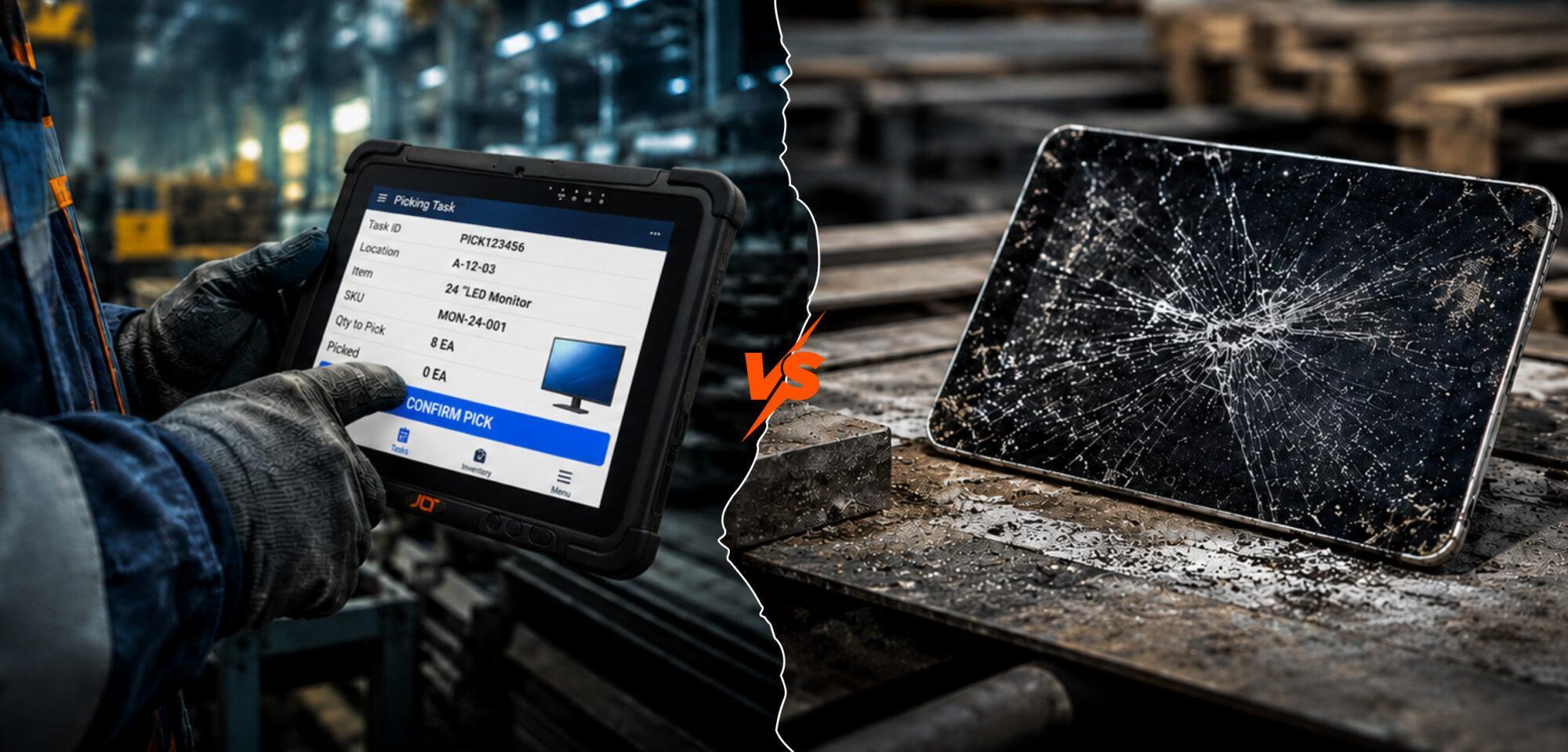
For industrial operations, a heavy duty tablet outperforms consumer devices on every measure that matters — durability, environmental tolerance, certifications, and long-term reliability. The choice is rarely about purchase price; it is about which device still works after eighteen months of drops, dust, vibration, glove use, and sub-zero shifts. This guide explains how to specify the right one for your environment.
What Is a Heavy Duty Tablet?
A heavy duty tablet is a purpose-built mobile computer engineered to operate continuously where consumer hardware fails — warehouses, port yards, factory floors, cold storage, and outdoor sites.
What Defines a Heavy Duty Tablet in Industrial Use?
The category rests on three certifiable specifications: MIL-STD-810H testing for drop, shock, vibration, and temperature; IP65 or higher ingress protection under IEC 60529; and industrial features absent from consumer hardware — gloved-touch screens, sunlight-readable displays, hot-swap batteries, and integrated scanning.
When Is It Better Than a Standard Tablet?
The dividing line is the office door. Warehousing, logistics, manufacturing, field service, ports, and mining all expose hardware to moisture, dust, vibration, drops, gloves, or temperature extremes that a consumer tablet cannot survive.
Already know your operation needs heavy duty tablets? Speak directly to JLT about your environment and integration requirements.
How Is a Heavy Duty Tablet Different from Standard Tablets?
Engineered from the inside out, a heavy duty tablet prioritizes survival, serviceability, and continuous operation — the opposite of consumer design priorities.
Internal construction differs at the core level: sealed enclosures with no vents, fanless architecture, hot-swap batteries, gasketed port covers, and chemically strengthened or directly bonded displays. Software lifecycle differs too. Industrial devices receive OS and security updates for five to seven years versus two to four for consumer hardware. JLT’s handheld, tablet, and vehicle-mount form factor guide covers how each device fits different workflows.
What Industries Use Heavy Duty Tablets?
Every sector where computing happens outside an office relies on them. Warehousing and logistics use them for inventory and picking; transportation for route management; manufacturing for line-side data capture; field service for technician work orders; and ports, mining, and defence for outdoor operations.
Where Are Heavy Duty Tablets Used?
Heavy duty tablets are deployed wherever continuous on-floor or in-vehicle computing is needed, and the environment drives specification more than the industry label.
How Are They Used in Distribution Centres, Transportation, Logistics, and Field Service?
In distribution centres, they are mounted on forklifts or sit with pickers, connecting to the WMS for tasks. In transportation, they live in delivery cabs running TMS and ELD systems. In logistics, they handle yard management and dock scheduling. In field service, they accompany technicians for work orders and signature capture.
What Tasks Do They Support in Industrial Operations?
Almost any task that connects a worker to a back-end system runs through them: barcode and RFID scanning, sync with WMS, TMS, MES, and ERP platforms, photo and signature capture, digital forms, operator dashboards, and PTT radio integration.
Challenges with Standard Tablets in Industrial Use
Standard tablets fail predictably in industrial settings — not because the software does not run, but because the hardware cannot survive the environment.
Why Do Consumer Devices Fail Under Pressure?
The root cause is design intent — consumer tablets are built for indoor use. Thin glass, weight-optimized plastics, batteries that fade outside a narrow temperature band, and open ports all become liabilities the moment the device enters an industrial environment.
How Do Environmental Conditions Impact Performance?
Environmental stress degrades consumer device performance in four predictable ways: lithium-ion batteries lose runtime outside roughly 0°C to 35°C; touchscreens for bare fingers fail with gloves or wet surfaces; indoor brightness washes out in direct sun; and dust ingress damages internals over time.
What Are the Hidden Costs of Device Failure?
Replacement price is the smallest line item. Lost productivity while operators wait for swaps, IT time reconfiguring devices, and downstream errors from offline workflows cost far more. Over a multi-year deployment, repeated consumer-grade replacement exceeds purpose-built hardware cost — a pattern detailed in JLT’s rugged versus consumer device TCO analysis.
Tired of consumer tablets failing on the floor? Explore JLT’s range of fully rugged Android and Windows tablets built for continuous industrial use.
Heavy Duty Tablet vs Consumer Devices: Key Differences
The comparison comes down to three measurable dimensions — durability, performance under load, and tolerance of harsh environments.
| Factor | Consumer Tablet | Heavy Duty Tablet |
| Drop rating | Not certified | MIL-STD-810H, 4–6 ft onto concrete |
| Ingress protection | None to IP54 | IP65 or higher (IEC 60529) |
| Operating temperature | ~0°C to 35°C | -30°C to 55°C |
| Touchscreen | Bare finger only | Glove and wet finger |
| Battery | Sealed, single | Hot-swap, multi-shift |
| OS support lifecycle | 2–4 years | 5–7 years |
How Do They Compare in Durability?
Heavy duty tablets test against documented drop heights of four to six feet onto concrete and survive thousands of operational vibration hours. Consumer tablets have no comparable testing.
What Are the Performance Differences?
The gap shows up in sustained workload, not peak benchmarks. A consumer tablet may match on a synthetic test but throttle in a hot environment. Heavy duty units also add integrated scanners, multi-band cellular, dedicated GNSS, and programmable buttons for gloved use.
How Do They Perform in Harsh Environments?
In harsh environments, the difference is binary. An IP65-rated heavy duty tablet keeps working through wash-down, dust, and humidity; a consumer device fails. A unit certified to -30°C runs through a cold storage shift; a consumer tablet powers off.
What Defines the Right Tablet for Your Business?
The right tablet is defined by the deployment environment — over-specifying creates cost; under-specifying creates failure.
What Factors Should Influence Your Decision?
Six variables drive the decision: operating temperature range, IP rating against actual exposure, drop rating against realistic handling, display brightness for indoor versus outdoor use, battery profile for shift length, and connectivity for the site’s network reality.
How Do You Evaluate Operational Requirements?
Evaluation works best by mapping device specs against actual operator behaviour, not theoretical use. Quantify drops per month, the temperature range the workflow covers, and shift length on a single battery.
Features to Look for in a Heavy Duty Tablet
Three feature categories separate a marginal device from one that performs over a multi-year deployment.
What Protection Standards Matter?
Verify three standards before purchase: MIL-STD-810H for vibration, shock, temperature, and humidity; the IP rating under IEC 60529 — IP65 for dust and splash, IP66 for high-pressure jets, IP67 for temporary submersion; and ATEX or IECEx for hazardous areas.
How important is battery and Power Management?
Power is the most underestimated specification in the category. Hot-swap batteries enable shift changes without device shutdown, smart charging extends life in cold conditions, and vehicle docking keeps the device operational continuously.
What Connectivity Is Required for Operations?
Connectivity requirements depend on the site: Wi-Fi 6 for high-density indoor environments, private 5G or LTE for outdoor yards and large campuses, Bluetooth 5.x for accessory pairing, and dedicated GNSS for vehicle tracking.
How Heavy Duty Tablets Improve Business Operations
Heavy duty tablets improve operations by keeping data, instructions, and confirmations continuous across the workforce.
How Do They Reduce Downtime?
Two mechanisms are at work: fewer failures in certified conditions, and faster recovery when they do occur. Hot-swap power and field-replaceable components shorten recovery time across a fleet.
Can They Improve Workforce Productivity?
When operators scan, confirm, and update at the point of action without dismounting, task throughput rises and error rates drop — consistently across warehousing, manufacturing, and field service.
How Do They Enable Real-Time Data Access?
System records stay current as work happens. Inventory levels, vehicle locations, work order status, and quality results update live, without batch delay or manual reporting.
How JLT Supports Heavy Duty Tablet Deployments
JLT Mobile Computers designs fully rugged Android and Windows tablets purpose-built for warehousing, logistics, manufacturing, and field operations. JLT’s tablet range operates from -30°C to 55°C, carries IP65 sealing, and is tested against MIL-STD-810H with models rated for four-foot drops onto concrete. Sunlight-readable displays, gloved-touch capability, and long-cycle product support complete a portfolio built for continuous industrial use.
Ready to specify the right heavy-duty tablet for your operation? Talk to JLT’s team about your environment, workflow, and integration requirements.