
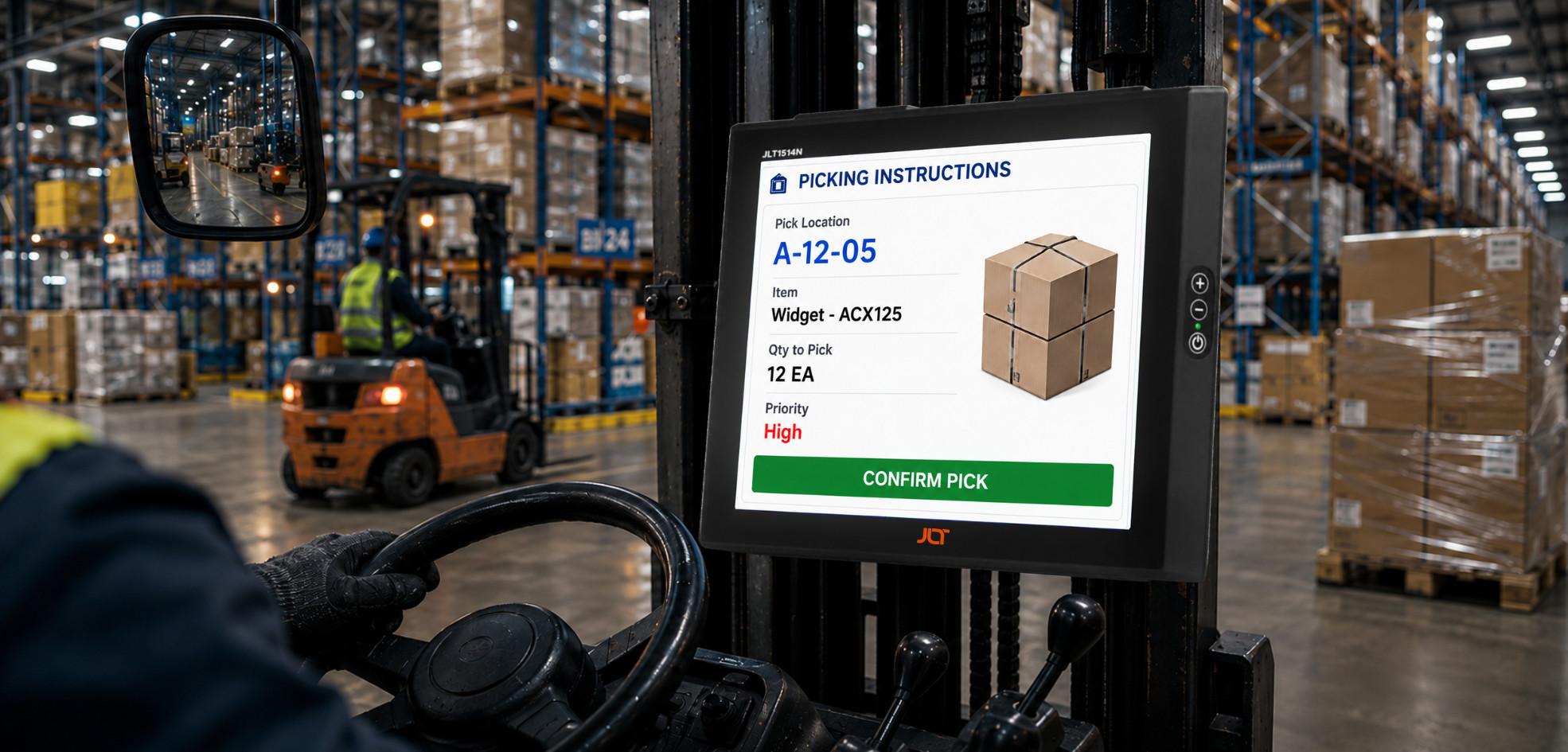
When a forklift terminal loses connectivity during a pick in cold storage, a port crane computer fails during peak vessel operations, or a plant-floor device breaks under constant vibration, the real cost is rarely the hardware itself. The greater impact comes from operational downtime, stalled workflows, missed service-level agreements, delayed shipments, and the disruption that spreads across connected processes.
An industrial mobile computer is not simply a consumer device placed inside a protective case. It is a purpose-built computing platform engineered from the component level for environments where temperature extremes, vibration, shock, dust, moisture, and continuous operation are part of everyday work.
For operations that depend on real-time data, choosing the right hardware requires more than comparing processor speeds or screen sizes. IT and operations teams must consider environmental protection, connectivity, display performance, operating-system lifecycle, serviceability, customization, and total cost of ownership.
This guide explains the key factors to evaluate when selecting computing hardware for warehouses, ports, manufacturing plants, mining operations, logistics yards, cold storage facilities, agriculture, and other demanding work environments.
What is an industrial mobile computer? quick answer
An industrial mobile computer is a computing device specifically engineered to operate reliably in harsh working environments where conventional commercial hardware may struggle.
These systems are designed around the realities of demanding work environments: continuous vibration, accidental impacts, dust, moisture, temperature changes, direct sunlight, gloved operation, and extended operating periods.
A suitable platform may combine:
- Sealed aluminium construction
- High-brightness displays
- Touchscreens designed for gloves and wet hands
- Wide operating-temperature ranges
- WiFi 6E and cellular connectivity
- Long-term operating-system lifecycle coverage
- Hardware security features
- Vehicle-specific mounting options
- Extended warranties and service programs
The objective is simple: keep the operator connected to the systems and data required to complete the job without unnecessary interruptions.
What makes a computer truly industrial grade?
Industrial-grade performance starts with engineering rather than accessories.
A device intended for demanding environments should be evaluated against independently recognized environmental standards and tested for the conditions it will actually encounter. Relevant considerations include IP protection, shock and vibration resistance, temperature tolerance, construction materials, display performance, and connector design.
JLT devices are designed around requirements including IP65/IP66 protection, MIL-STD-810H environmental testing, operation across temperatures from -30°C to +55°C, and rugged aluminium construction.
These characteristics distinguish equipment engineered for demanding environments from commercial hardware marketed as rugged simply because it has a protective enclosure.
-
How does it differ from a consumer device?
Consumer electronics are generally designed for controlled environments. Industrial equipment has to operate in environments that are considerably less predictable.
A warehouse vehicle may experience repeated vibration and impacts throughout every shift. A port terminal computer can be exposed to rain, salt air, dust, and direct sunlight. A freezer operator may work at temperatures well below freezing while wearing heavy gloves.
A conventional device may perform well initially but become unreliable when these conditions are repeated thousands of times.
Purpose-built hardware addresses these problems at the design level through sealed construction, reinforced internal architecture, temperature management, high-brightness displays, reliable connectors, and long-term serviceability.
Understanding industrial computing requirements
Understanding what defines a rugged computing platform is the foundation of a procurement decision that must remain effective for years rather than months.
-
How are industrial computing platforms defined?
A purpose-built system typically combines several characteristics:
- Environmental sealing
- Shock and vibration resistance
- Wide temperature tolerance
- High-brightness displays
- Glove-compatible touch operation
- Reliable wireless connectivity
- Long lifecycle hardware
- Supported operating systems
- Enterprise-grade security
- Vehicle-specific installation options
The combination matters because no single specification guarantees reliability.
For example, a computer may have excellent dust protection but still fail because internal connectors loosen under vibration. Another device may survive vibration but become unusable because the screen cannot be read in sunlight.
Industrial reliability therefore comes from the complete system working together.
-
What standards and certifications should you consider?
Independent validation provides a more useful reference point than generic claims about ruggedness.
IP65, IP66 and ip67 — dust and water protection
Ingress Protection ratings indicate how effectively equipment is protected from solids and liquids.
IP65 provides complete protection against dust and protection against water jets. IP66 provides protection against more powerful water jets, while IP67 additionally addresses temporary immersion.
The appropriate rating depends on the operating environment. Warehousing may require different protection from food processing, cold storage, outdoor yards, or washdown areas.
Mil-std-810h — shock, vibration and environmental testing
MIL-STD-810H is a widely recognized environmental testing standard covering conditions such as shock, vibration, humidity, altitude, and temperature extremes.
For vehicle-mounted applications, vibration resistance is especially important. Forklifts, cranes, reach stackers, haul trucks, and terminal tractors expose mounted equipment to repeated mechanical stress.
-
Why does operating temperature matter?
Temperature is one of the most overlooked considerations when selecting rugged computing hardware.
Equipment operating in a freezer may move repeatedly between extremely cold areas and ambient-temperature zones. Outdoor devices can face significant temperature variation during a single shift.
JLT platforms are designed for operation from -30°C to +55°C, serving environments ranging from blast freezers to outdoor yards.
Cold-storage configurations can also incorporate automatic screen heaters to prevent frost from interfering with display visibility.
What are the main types of industrial computing hardware?
Three primary hardware categories cover many industrial deployment models.
-
Vehicle-mounted terminals
Vehicle-mounted terminals are permanently installed on equipment such as:
- Forklifts
- Reach trucks
- Cranes
- Haul trucks
- Terminal tractors
- Other industrial vehicles
These systems connect operators directly with warehouse management systems, transportation management systems, terminal operating systems, enterprise applications, and other operational software.
Because the device remains on the vehicle throughout the working day, it must tolerate continuous vibration, electrical fluctuations, impacts, temperature changes, and environmental exposure.
-
Rugged tablets
Rugged tablets provide mobility for workers who need computing access away from a permanently mounted workstation.
Typical users include:
- Field operators
- Supervisors
- Maintenance technicians
- Quality inspectors
- Production personnel
- Logistics teams
The benefit is flexibility. Workers can take the device to the point where the task is performed instead of returning to a fixed workstation.
-
Custom rugged solutions
Some applications cannot be addressed by standard configurations.
Custom solutions may involve:
- Specialized antennas
- CAN-bus integration
- ATEX adaptations
- Private labeling
- Specialized connectors
- Custom mounting
- Vehicle-specific modifications
- Other hardware adaptations
JLT has completed more than 100 customizations over more than 30 years, helping customers address requirements that fall outside standard product configurations.
Why purpose-built computing hardware matters
The strongest argument for purpose-built hardware is not a specification sheet. It is what happens when the wrong equipment is deployed.
-
What happens when consumer devices are used?
Consumer-grade hardware may experience problems such as:
- Cracked housings
- Damaged connectors
- Touchscreen failures
- Poor sunlight visibility
- Reduced battery performance in cold conditions
- Moisture ingress
- Dust contamination
- Wireless connectivity problems
- Short replacement cycles
A failure on a personal device may be an inconvenience. A failure on a forklift terminal, crane workstation, or production-floor computer can interrupt an entire operational process.
-
How does device failure create downtime?
Consider a warehouse forklift operator who loses access to the WMS during a picking task.
The problem is not limited to replacing the computer. The operator may need to stop, find another terminal, wait for IT assistance, or repeat the transaction.
At a port, a computer failure can interrupt access to terminal operating system information during cargo handling.
In manufacturing, a failed device may prevent quality checks, production reporting, or material replenishment.
The business impact therefore extends beyond hardware replacement.
-
Why is long-term reliability important?
Organizations often plan deployments over several years.
Replacing equipment frequently can introduce additional costs for:
- Procurement
- Installation
- Application configuration
- Testing
- Employee training
- IT administration
- Spare inventory
- System integration
Longer hardware lifecycles can reduce these recurring costs and simplify fleet management.
Where is an industrial mobile computer used?
An industrial mobile computer can serve a wide range of applications where operators need dependable access to real-time data.
-
Port and container terminal operations
Ports combine several difficult conditions.
Equipment can be exposed to:
- Salt air
- Dust
- Rain
- Direct sunlight
- Vibration
- Temperature variation
- Continuous workloads
Computers mounted in crane cabs, reach stackers, terminal tractors, and yard vehicles provide access to terminal operating systems and real-time operational data.
OPCSA, the largest container terminal in the Canary Islands, standardized on JLT equipment to enable operations across its handling equipment.
JLT’s VERSO Series also provides a solution for port environments requiring higher-performance computing and integration with terminal operating systems.
-
Manufacturing and factory floors
Manufacturing environments depend on real-time access to production data.
Computing devices can help with:
- MES applications
- Digital quality inspections
- Production traceability
- Material replenishment
- Maintenance workflows
- Inventory management
SSAB has used JLT devices since 2003, with an almost non-existent failure rate reported in the supplied source material.
Volvo has also deployed JLT devices across its forklift fleet to improve connectivity and operational data collection.
-
Cold storage and freezer environments
Cold storage creates a unique combination of challenges.
Devices may move between ambient areas and blast freezers, creating condensation and temperature transitions that can damage unsuitable electronics.
A purpose-built cold-storage system should consider:
- Low-temperature operation
- Automatic screen heating
- Moisture protection
- Glove-compatible touchscreens
- High display visibility
- Reliable wireless communication
The JLT1214N is designed for cold-storage applications, with operation down to -30°C, an automatic screen heater, and PowerTouch technology.
-
Warehousing and distribution
Warehouses increasingly depend on real-time digital workflows.
Vehicle-mounted systems can provide operators with direct access to WMS applications for:
- Picking
- Put-away
- Inventory
- Replenishment
- Cross-docking
- Shipping
- Receiving
JLT equipment has been deployed by Solar Denmark with SAP EWM across operations involving more than 3,000 employees in five countries.
-
Mining and heavy industry
Mining equipment operates in environments where dust, vibration, shock, and temperature extremes can be severe.
Computing platforms mounted on haul trucks, drilling equipment, and other machinery can provide:
- Fleet management
- Equipment monitoring
- Maintenance workflows
- Operational reporting
- Production data
- Real-time data access
Hardware reliability becomes particularly important when equipment is deployed in remote locations where physical access for service may be difficult.
-
Transportation, logistics and yard management
Transportation and yard operations depend on information moving continuously between vehicles, operators, dispatch teams, and enterprise systems.
Mobile computing can enable:
- Routing
- Delivery confirmation
- Fleet visibility
- Compliance documentation
- Yard management
- Dispatch
- Inventory movement
Outdoor deployments also make display readability and connectivity particularly important.
-
Agriculture, forestry and defense
Agriculture and forestry were part of JLT’s early history in rugged computing.
Modern field applications can use vehicle-mounted systems to provide operators with real-time information while working in environments exposed to dust, moisture, vibration, and temperature variation.
Defense applications require similarly dependable computing platforms for vehicle-mounted command, control, and field operations.
Key features to look for
The right hardware combines mechanical construction, display technology, connectivity, operating-system support, and security.
-
What construction standards are important?
Industrial equipment should be designed for its environment from the beginning.
Adding a protective case around commercial electronics does not address every underlying reliability challenge.
JLT uses single-piece aluminium housings designed to provide structural integrity and improve heat dissipation.
Single-piece aluminium housing
A single-piece housing reduces the number of seams and assembly points where environmental contaminants can potentially reach internal components.
The material also contributes to mechanical strength and heat management.
For equipment exposed to constant vibration, structural integrity is especially important.
Board-to-board connectors
Traditional flexible cables can become vulnerable to repeated movement and vibration.
Board-to-board connector designs help reduce the number of flexible internal connections that can loosen or fatigue during prolonged vehicle operation.
Pcb fixed to the housing
Keeping the printed circuit board securely fixed to the housing helps limit movement between internal components and the enclosure during repeated shock and vibration.
These engineering details may appear small, but they can have a significant effect on long-term serviceability.
-
What display capabilities matter?
A display is only useful if operators can read and interact with it under real working conditions.
High brightness for outdoor visibility
JLT displays can reach up to 1,200 NITS, helping maintain visibility in demanding outdoor environments.
This is particularly relevant for:
- Ports
- Mining
- Outdoor yards
- Transportation
- Agriculture
- Construction-related applications
A screen that is easy to read indoors may become difficult to use when direct sunlight hits the display.
PowerTouch for gloves and wet hands
Industrial operators frequently wear gloves as part of their required PPE.
PowerTouch technology enables touchscreen interaction when operators are wearing gloves or when the screen is exposed to wet conditions.
This is particularly valuable in cold storage, outdoor operations, manufacturing, food and beverage environments, and other applications where bare-finger interaction is impractical.
Screen heaters for freezer applications
Cold temperatures can make displays difficult to read because of frost and condensation.
Automatic screen heaters help maintain display visibility in freezer environments, allowing operators to continue interacting with applications without waiting for the screen to recover.
-
What connectivity should industrial devices provide?
Connectivity is fundamental to modern operations.
A disconnected terminal can prevent transactions from being completed, interrupt communication with enterprise systems, and create delays for operators.
Wifi 6e
JLT platforms support WiFi 6E with throughput up to 9.6 Gbps.
This provides the bandwidth and wireless capability required for increasingly connected operational environments with large numbers of devices.
Wwan and private lte
WiFi coverage is not always practical across an entire industrial site.
Large yards, ports, mining operations, and other outdoor environments may require cellular or private-network connectivity.
WWAN and Private LTE options can extend communication beyond the boundaries of conventional WiFi infrastructure.
5g
5G provides opportunities for applications requiring high bandwidth and low latency.
Potential use cases include:
- Fleet management
- Remote equipment operation
- Industrial automation
- Real-time monitoring
- Connected vehicle applications
As industrial networks evolve, computing hardware needs to remain capable of working with the connectivity infrastructure used across the operation.
-
What operating system and security features are needed?
The operating system should be selected according to the applications and lifecycle requirements of the deployment.
Windows 11 iot ltsc
Windows 11 IoT LTSC can be appropriate for organizations running Windows-based WMS, ERP, MES, and other enterprise software. Its extended lifecycle helps organizations avoid unnecessary operating-system changes during the planned life of a fleet.
Windows 10 reached its end-of-life in October 2025, making lifecycle planning particularly important for organizations still operating legacy deployments.
Industrial Android x86
Industrial Android x86 can be suitable for touchscreen-focused workflows and organizations looking for an Android-based application environment.
It can also help organizations transitioning away from older Windows-based deployments.
Tpm 2.0
Hardware security should be part of the original platform rather than an afterthought.
TPM 2.0 provides hardware-based security capabilities that help protect system integrity and operational data.
JLT includes TPM 2.0 as a standard security feature across its devices.
How does the JLT product range compare?
JLT offers 22 vehicle-mount computer configurations, providing different display sizes, processing capabilities, storage options, and connectivity configurations.
The objective is not to force every customer onto one standard device. It is to match hardware capabilities with the requirements of the specific operation.
-
JLT6012 and jlt1214n
The JLT6012 is a 12-inch entry-level vehicle-mounted computer designed for applications such as logistics.
It features an Intel Atom x6413E processor, up to 480GB SSD storage, WiFi 6E, and support for Windows 11 IoT LTSC or Industrial Android x86.
The JLT1214N is designed specifically for cold-storage applications. It operates down to -30°C and includes an automatic screen heater and PowerTouch display.
-
VERSO series
The VERSO Series is designed for demanding applications such as ports, mining, fleet management, and heavy industrial automation.
Configurations use Intel Core i3 and i7 1185GRE processors.
The VERSO Series is also described in the supplied source as the only vehicle-mounted terminal range in the world validated as Navis Ready for Kaleris N4 terminal operating system integration.
-
22 configurations for different applications
JLT’s range spans display sizes from 7 inches to 15 inches, with different combinations of processing, memory, storage, and connectivity.
This enables organizations to select a platform according to:
- Available mounting space
- Application requirements
- Display visibility
- Processing workload
- Storage needs
- Network infrastructure
- Vehicle type
- Environmental conditions
Custom builds and private-label solutions are also available when standard configurations do not meet the deployment requirements.
Total cost of ownership: looking beyond the purchase price
The purchase price is only one component of the total cost of an industrial computing deployment.
A more meaningful evaluation considers the complete lifecycle.
-
How does durable hardware reduce long-term costs?
Equipment designed for its environment can reduce the frequency of:
- Device replacement
- Service calls
- Hardware troubleshooting
- Emergency procurement
- Fleet downtime
- IT intervention
The goal is not simply to purchase a rugged device. The goal is to reduce the operational cost associated with unreliable technology.
-
Why does warranty coverage matter?
JLT provides a standard three-year warranty.
For larger fleets, warranty coverage can provide greater predictability in budgeting and service planning.
Longer warranty coverage also demonstrates that the manufacturer is prepared to support the hardware beyond the initial deployment period.
-
How do longer lifecycles affect it costs?
Some JLT customers continue operating the same devices for more than a decade.
Longer deployments can reduce the frequency of:
- Procurement projects
- Device configuration
- Software testing
- Application integration
- Operator training
- Fleet replacement
This can significantly influence total cost of ownership over the full planning horizon.
How JLT supports demanding industrial operations
JLT has more than 30 years of experience developing rugged computing solutions for industrial environments.
The company designs, develops, tests, and manufactures its devices in-house in Sweden, providing control over product engineering, quality, component availability, and lifecycle management.
-
30+ years of rugged technology engineering
JLT’s experience spans:
- Ports
- Mining
- Manufacturing
- Warehousing
- Cold storage
- Transportation
- Agriculture
- Forestry
- Defense
This experience informs decisions about enclosure design, connectors, displays, operating systems, connectivity, mounting, and serviceability.
-
JLT insights
JLT Insights provides visibility into deployed fleets through capabilities such as:
- Remote diagnostics
- Usage analytics
- Maintenance alerts
- Impact monitoring
- Battery health information
Instead of treating hardware as a passive endpoint, fleet monitoring can provide operational information that helps organizations identify potential issues and manage devices proactively.
-
JLT care
JLT Care is designed to simplify long-term service management.
The service agreement includes coverage for failures, guaranteed repair turnaround, worldwide pickup and drop-off, and fixed-price options for three-year and five-year terms.
For organizations operating large fleets, predictable service arrangements can simplify budgeting and reduce administrative overhead.
-
Customization beyond standard products
Not every industrial vehicle or workflow can accommodate an off-the-shelf device.
JLT has delivered more than 100 customizations over three decades.
Examples include:
- Custom antennas
- CAN-bus integration
- ATEX adaptations
- Private labeling
- Specialized connectors
- Custom mounting
- Vehicle-specific hardware
This approach allows the computing platform to be adapted to the operational environment instead of forcing the operation to adapt to the hardware.
Frequently asked questions
What Is the Difference Between an Industrial Mobile Computer and a Consumer Device?
What Is the Best Computer for Cold Storage?
What Connectivity Options Are Available?
Should an Industrial Fleet Use Windows or Android?
The answer depends on the organization’s applications and IT environment.
Windows 11 IoT LTSC can be appropriate for Windows-based WMS, ERP, and enterprise applications. Industrial Android x86 can be attractive for touchscreen-first workflows and Android-based application environments.
What Is Navis Ready Validation?
How Long Can Rugged Industrial Hardware Last?
Choose computing built around your operation
Industrial operations should not have to choose between ruggedness and usability.
The right platform combines environmental protection, dependable connectivity, readable displays, appropriate processing power, long-term software availability, security, and serviceability.
For a warehouse, that may mean a compact vehicle-mounted terminal with dependable WiFi connectivity. For cold storage, low-temperature operation and a heated display may be essential. A port may require high-brightness screens, cellular connectivity, and validated terminal operating system integration. Mining applications may prioritize vibration resistance, outdoor visibility, and long-term serviceability.
The best solution is therefore not necessarily the device with the highest specification. It is the platform designed around the actual workflow, vehicle, environment, and lifecycle requirements.
JLT’s application-specific approach combines rugged hardware, connectivity, software lifecycle planning, customization, and service programs to help industrial organizations keep critical operations moving.
Ready to find the right solution for your operation?
Explore the complete JLT product and services range: