
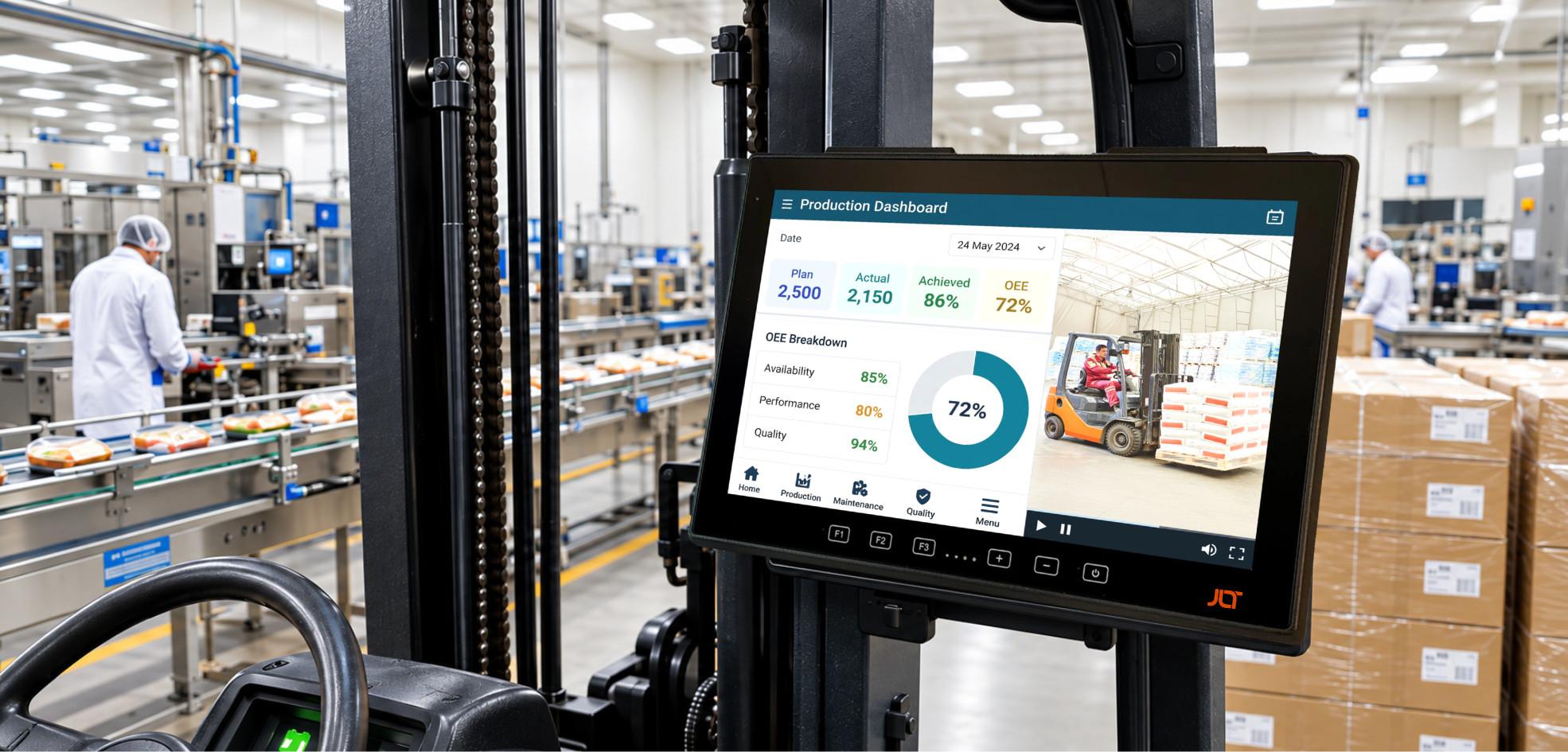
When a forklift terminal fails in a -25°C freezer, a port crane loses connectivity during peak throughput, or a factory terminal stops responding after prolonged exposure to vibration, the cost is rarely limited to the hardware itself. Downtime can interrupt workflows, delay shipments, reduce productivity, and create additional pressure on operators and IT teams.
Industrial computing equipment therefore needs to be evaluated differently from conventional office hardware. A terminal used in a warehouse vehicle, port operation, manufacturing plant, mining vehicle, or outdoor yard must be engineered around the environment in which it will actually operate.
The right industrial solution combines durable construction with reliable connectivity, appropriate processing performance, an easy-to-use screen, and long-term software and service coverage. It should also match the vehicle, application, environment, and workflow rather than simply offering the highest specification on paper.
This guide explains what to look for when selecting rugged hardware, how environmental ratings affect purchasing decisions, why total cost of ownership matters, and how JLT Mobile Computers approaches industrial computing for demanding operations.
What makes rugged computing different?
The leading industrial solutions are not simply conventional PCs placed inside protective housings. Purpose-built systems are engineered around the environments and workflows they are expected to encounter.
That distinction becomes important when a terminal is permanently installed on a forklift, crane, heavy-duty vehicle, or production line.
Industrial equipment can experience:
- Continuous vibration
- Repeated shock
- Dust and moisture
- Extreme temperatures
- Direct sunlight
- Gloved operation
- Long operating hours
- Wireless connectivity challenges
- Frequent interaction with scanners and peripherals
- Limited maintenance opportunities
A solution that performs well in an office does not automatically perform well under those circumstances.
-
What makes a rugged computer stand apart?
Industrial durability begins with the physical design.
A purpose-built system may use reinforced enclosures, sealed connectors, hardened screens, specialized mounting systems, and components selected for long-term operation.
The internal construction matters as much as the external enclosure. Repeated vibration can place stress on connectors, cables, boards, and storage components. A design that minimizes unnecessary internal movement can improve reliability over time.
The mounting solution is also part of the overall system. A terminal installed on a forklift or crane must remain secure while absorbing the mechanical forces generated by the vehicle.
-
How do industrial systems differ from standard devices?
Standard PCs are generally designed for controlled indoor environments.
Industrial platforms need to account for much more demanding operating environments. Depending on the application, they may need to operate across wide temperature ranges, resist water and dust, remain readable in sunlight, and respond reliably when operated with gloves.
They may also need to connect with industrial wireless networks and integrate with warehouse management systems, manufacturing applications, terminal operating systems, enterprise software, barcode scanners, RFID readers, and other peripherals.
The important question is therefore not simply whether a product is labeled “rugged.”
The important question is whether its design and specifications match the actual deployment.
What is a rugged computer?
A rugged computer is an industrial computing platform designed and tested to operate reliably where conventional PCs may not be suitable.
Ruggedization can involve multiple aspects, including mechanical construction, sealing, screen protection, thermal management, connectivity, power systems, and software lifecycle.
The term covers several form factors.
Vehicle-mounted computers are designed to remain installed on forklifts, cranes, warehouse vehicles, mining equipment, and other industrial vehicles.
Rugged tablets provide more mobility and can be used both on and away from vehicles.
Rugged handhelds can help workers who need portable access to applications and operational records.
The appropriate form factor depends on the job.
-
What environmental factors should be considered?
Before selecting hardware, identify the environment the system will experience throughout a normal shift.
Consider:
- Minimum and maximum operating temperatures
- Temperature transitions
- Dust exposure
- Water or washdown
- Vibration
- Mechanical shock
- Sunlight
- Humidity
- Cleaning procedures
- Vehicle movement
- Frequency of handling
- Hours of operation
A terminal installed in a climate-controlled office has very different requirements from one installed on a forklift moving between a freezer and a loading dock.
-
Why do environmental ratings matter?
Environmental ratings provide a framework for evaluating whether equipment is suitable for a particular application.
IP ratings address protection against solid particles and water ingress. The appropriate rating depends on the actual operating environment.
MIL-STD-810 testing covers a range of environmental stresses, including methods associated with temperature, vibration, shock, humidity, and other factors.
Organizations should examine the specific tests relevant to their application instead of treating a certification label as a universal guarantee of suitability.
-
IP65, IP66, and ip67: what do they mean?
Ingress protection ratings are particularly important for industrial computing.
The first digit addresses protection against solid particles, while the second addresses water protection.
-
IP65
IP65 provides protection against dust and water jets.
It can be appropriate for many demanding industrial applications where equipment is exposed to dust, moisture, or occasional water spray.
-
IP66
IP66 provides a higher level of water-jet protection and can be important in environments involving more intensive cleaning or exposure to water.
Food and beverage facilities, outdoor operations, and other environments should evaluate the rating based on their actual cleaning and exposure procedures.
-
Ip67
IP67 provides protection against temporary immersion under defined test conditions.
This can provide an additional level of protection where accidental immersion is a realistic risk.
The important point is to match the rating to the application rather than selecting the highest available number without considering the real environment.
-
Mil-std-810h: what does it tell you?
MIL-STD-810H is a collection of environmental engineering and laboratory test methods used to evaluate equipment against various environmental stresses.
Relevant testing may include vibration, shock, temperature, humidity, altitude, and other factors.
For industrial computing, the value of testing comes from understanding which environmental factors were evaluated and how they relate to the deployment.
A forklift application, for example, may place considerable emphasis on vibration and shock.
A cold-storage application may place greater emphasis on low-temperature operation and repeated temperature transitions.
An outdoor port deployment may require careful consideration of temperature, moisture, vibration, sunlight, and connectivity.
The specification should therefore be interpreted in the context of the actual application.
Why operating temperature matters
Temperature is one of the most overlooked considerations when purchasing industrial hardware.
A terminal can appear reliable during normal indoor testing but experience problems when deployed in a freezer, outdoor yard, or hot industrial facility.
Cold environments can affect batteries, screens, storage devices, and other components.
Temperature transitions can also create condensation, particularly when equipment moves between cold and warm areas.
-
Cold storage
Freezer environments can require terminals to operate well below the temperatures expected in standard warehouses.
A suitable solution may need a wide operating temperature range, screen heating, glove-compatible touch technology, and battery characteristics appropriate for low-temperature use.
-
Outdoor operations
Outdoor yards and ports introduce the opposite challenge.
Direct sunlight can increase the temperature of a unit while making a conventional screen difficult to read.
A high-brightness screen, appropriate thermal design, and suitable enclosure protection can make a significant difference.
Why display performance matters
Industrial screens are not simply a way to show information.
They are part of the operator interface.
A difficult-to-read screen can slow down data entry, increase errors, and force an operator to spend more time looking at the terminal.
-
Sunlight readability
Outdoor environments require screens that remain readable under direct or reflected sunlight.
Brightness is therefore an important specification for port terminals, yard vehicles, agricultural machinery, mining equipment, and other outdoor applications.
Indoor operations can also benefit from adjustable brightness because warehouses often contain areas with significantly different lighting levels.
-
Glove operation
Cold-storage and outdoor workers may wear gloves throughout their shifts.
A touchscreen that requires bare fingers can create unnecessary delays.
Industrial touch technology can be designed to respond to gloved operation and, depending on the implementation, wet hands.
-
Cold-environment display heating
A screen heater can help prevent frosting and maintain usability in freezer environments.
This is particularly important where vehicles move repeatedly between different temperature zones.
Without appropriate thermal management, condensation or frost can make a screen difficult or impossible to use.
What connectivity should an industrial computer support?
Connectivity is fundamental to modern industrial operations.
A vehicle-mounted terminal may connect operators to warehouse management systems, enterprise applications, fleet platforms, terminal operating systems, manufacturing software, or cloud services.
A dropped connection can interrupt that flow.
-
Wi-Fi
Wi-Fi is widely used in warehouses, factories, and distribution centers.
Modern wireless standards can improve capacity and performance in environments containing many connected endpoints.
However, Wi-Fi performance depends heavily on the facility itself.
Large metal racks, machinery, walls, vehicle traffic, and building construction can all affect coverage.
A wireless survey should therefore be part of any large deployment.
-
Wwan and cellular connectivity
Outdoor yards, ports, mines, and transportation operations may extend beyond the practical coverage of an internal Wi-Fi network.
Cellular connectivity can provide another option for maintaining communication across large geographic areas.
Depending on the operation, organizations may consider LTE, 5G, or private cellular networks.
-
Bluetooth and peripheral connectivity
Industrial terminals often need to communicate with scanners, printers, keyboards, sensors, headsets, or other peripherals.
Connectivity options should therefore be evaluated as part of the complete workflow rather than in isolation.
What operating system should an industrial computer use?
The operating system should be selected according to the organization’s application environment and lifecycle strategy.
Windows remains important in industrial environments because many established enterprise applications were designed around the Windows ecosystem.
Android can provide a familiar touchscreen environment and can be useful for applications designed around mobile workflows.
The important consideration is long-term compatibility.
-
Windows iot and long-term support
Industrial deployments often remain in service for several years.
A long-term-support operating system can make it easier for organizations to plan security updates, application compatibility, and hardware refresh cycles.
Windows 10 reached end of support in October 2025, making operating-system lifecycle planning especially important for organizations with older industrial fleets.
-
Android for industrial workflows
Android can be attractive for touchscreen-oriented workflows and applications designed around mobile interaction.
Organizations should evaluate the specific Android version, update policy, security architecture, application compatibility, and hardware coverage before committing to a large deployment.
Why tpm and security features matter
Industrial terminals are increasingly connected to enterprise networks and operational systems.
They may process inventory records, production data, equipment details, employee credentials, or other business-critical content.
Security should therefore be considered from the beginning.
Hardware-based security features such as TPM 2.0 can support device security and authentication requirements.
Organizations should also evaluate:
- Secure boot
- Operating-system lifecycle
- Patch availability
- Device management
- User authentication
- Application controls
- Network security
- Remote administration
Security is not separate from reliability.
A terminal that cannot be securely maintained over its operational lifecycle can become a liability even if its physical hardware remains functional.
Why industrial operations need purpose-built computing
Industrial environments are unforgiving when technology fails.
A terminal failure can stop a workflow, force manual processes, or require a vehicle to be removed from service.
The impact becomes greater when the same hardware is deployed across dozens or hundreds of vehicles.
-
What happens when a device fails during a shift?
Consider a warehouse forklift whose terminal stops working.
The operator may no longer receive directed tasks.
Inventory transactions may have to be recorded manually.
A supervisor may need to provide alternative instructions.
The vehicle may eventually need to be removed from service while IT replaces or repairs the unit.
The cost therefore includes more than the replacement hardware.
-
Why downtime should be part of the purchase decision
Procurement teams naturally compare purchase prices.
However, the better question is the total cost of maintaining the system throughout its expected lifecycle.
Consider:
- Hardware purchase
- Installation
- Accessories
- Maintenance
- Repairs
- Replacement units
- IT labor
- Operator downtime
- Training
- Application migration
- Vehicle downtime
- Lost productivity
A product with a lower purchase price can become considerably more expensive if it requires frequent replacement.
Where are rugged computers used?
Industrial computing is used across many sectors, but each environment presents different challenges.
-
Ports and container terminals
Port operations combine outdoor exposure with continuous material movement.
Terminals can be installed on cranes, terminal vehicles, reach stackers, and other equipment.
Operators need access to terminal operating systems and cargo information while working across large areas.
The equipment may encounter direct sunlight, rain, salt air, vibration, dust, and temperature changes.
Connectivity is equally important because operations can span large geographic areas.
-
Manufacturing
Manufacturing facilities use industrial terminals for material handling, production support, quality processes, maintenance, and logistics.
Forklifts may deliver components to production lines while terminals connect those movements with enterprise systems.
Industrial platforms can also support digital inspection and workflow applications.
The exact requirements depend on the manufacturing process.
Some facilities prioritize compact designs, while others require larger screens for data-heavy applications.
-
Warehousing and distribution
Warehouses are among the most common environments for vehicle-mounted computing.
Operators can use terminals to receive picking instructions, confirm inventory movements, scan products, and communicate exceptions.
The system needs to withstand continuous vehicle vibration while remaining easy to use during repetitive workflows.
Wireless performance is particularly important in large facilities with dense metal infrastructure.
-
Cold storage
Cold-storage facilities place additional demands on electronics.
Low temperatures affect batteries and screens, while repeated transitions between freezer and ambient environments can create condensation.
Hardware should therefore be selected according to the facility’s lowest operating temperature and the duration of exposure.
-
Mining
Mining environments can combine vibration, dust, temperature extremes, moisture, and large operating areas.
Terminals may be installed in haul trucks, drilling equipment, loaders, and other heavy machinery.
Applications can include fleet management, production records, maintenance, dispatch, and equipment monitoring.
-
Transportation and yard management
Transportation yards rely on coordinated vehicle movement.
Terminals can connect drivers and operators with dispatch systems, inventory records, shipment details, and fleet applications.
Outdoor environments require suitable screen brightness, environmental protection, and connectivity.
Key features to look for when choosing industrial computing hardware
A successful deployment depends on matching hardware features to the workflow.
-
Rugged construction
Look for construction designed specifically for industrial environments.
Consider enclosure design, sealing, connectors, mounting, screen protection, and resistance to vibration and shock.
-
Wide temperature range
Verify the actual operating temperature requirements.
Do not assume that a product suitable for an indoor warehouse will perform in a freezer or outdoor yard.
-
High-brightness display
Select screen brightness based on the environment.
Outdoor applications require significantly different visibility characteristics from conventional office settings.
-
Glove-friendly touch
If operators wear gloves, touchscreen performance should be tested with the gloves actually used in the operation.
-
Reliable wireless connectivity
Evaluate Wi-Fi, cellular, Bluetooth, and antenna configurations according to the facility and application.
-
Flexible power options
Vehicle-mounted terminals should accommodate the electrical characteristics of the vehicle.
Industrial vehicles can have significantly different power systems, so voltage range and power conditioning should be reviewed during deployment planning.
-
Long product lifecycle
Industrial hardware should be supported for the length of time the organization expects to operate it.
Lifecycle planning can reduce unnecessary refreshes and application migrations.
-
Service and support
Lifecycle coverage matters when equipment is deployed across a large fleet.
Look for repair services, spare parts, warranty coverage, technical assistance, and clear turnaround expectations.
Rugged platform vs. consumer device
A consumer computer may have a lower purchase price.
However, it is usually designed around controlled environments and shorter product cycles.
Industrial equipment is designed around operational continuity.
| Consideration | Consumer Computer | Industrial Computer |
|---|---|---|
| Operating environment | Controlled indoor environments | Demanding industrial environments |
| Vibration resistance | Limited | Designed for industrial vibration |
| Temperature range | Typically narrower | Wider options available |
| Water/dust protection | Limited | IP-rated options |
| Display | Consumer-oriented | Industrial and sunlight-readable options |
| Touch operation | Standard touch | Glove/wet-touch options |
| Mounting | General-purpose | Vehicle-specific options |
| Lifecycle | Often shorter | Designed for longer deployment |
| Support | Consumer model | Industrial service options |
The right choice depends on the consequences of failure.
If a hardware failure has little operational impact, a standard product may be adequate.
If failure can stop a vehicle, production process, or material flow, industrial hardware can provide a stronger long-term solution.
How to evaluate total cost of ownership
Purchase price is only the first part of the calculation.
A better evaluation considers the complete operational lifecycle.
-
Hardware cost
Start with the purchase price, but also include mounts, cables, scanners, keyboards, antennas, and other accessories.
-
Installation cost
Vehicle-mounted equipment can require installation and configuration.
A solution that simplifies installation can reduce deployment labor.
-
Maintenance
Consider expected repair requirements and how easily replacement units can be deployed.
-
Downtime
Estimate what happens when a terminal is unavailable.
For high-throughput operations, even short interruptions can have a measurable impact.
-
Replacement cycles
Longer hardware lifecycles can reduce the frequency of procurement and deployment projects.
-
Software compatibility
Replacing hardware can sometimes require application testing, operating-system migration, or changes to device-management systems.
Those costs should be included when comparing solutions.
Why long-term reliability matters more than specifications alone
Industrial procurement can become overly focused on processor speed, memory, storage, or screen resolution.
Those specifications matter, but they do not tell the entire story.
A fast terminal that repeatedly loses connectivity or fails in a freezer is not a productive terminal.
Likewise, a high-resolution screen has limited value if it cannot be read outdoors or operated while the user is wearing gloves.
The right evaluation considers the complete system.
Reliability comes from the combination of hardware design, environmental suitability, connectivity, software, mounting, power, and service coverage.
How JLT approaches rugged computing
JLT Mobile Computers develops rugged computing solutions for industrial operations where reliable performance and long-term uptime are important.
Its portfolio includes vehicle-mounted computers, rugged tablets, handheld devices, custom solutions, accessories, software, and services.
-
Vehicle-mounted computers
JLT vehicle-mounted computers are designed for industrial vehicles and applications across warehouses, logistics, ports, manufacturing, and cold-chain environments.
The portfolio includes different screen sizes and configurations, allowing organizations to select equipment according to vehicle space, application requirements, and operating environments.
JLT’s current product range includes systems such as the JLT6012 series and VERSO series, with options for industrial connectivity and environmental protection.
-
Rugged tablets
JLT also offers rugged tablets for operations that need greater mobility.
These products can support warehouse, transportation, logistics, and service workflows where workers may need to move between vehicle-based and handheld activities.
This makes tablets useful where a single computing platform needs to support more than one operational scenario.
-
Custom solutions
Not every industrial application fits a standard configuration.
Organizations may require specific mounting arrangements, connectors, antennas, vehicle interfaces, storage configurations, operating systems, or other modifications.
Custom engineering can help align the computing system with the actual vehicle and workflow.
-
Services and lifecycle support
Industrial technology is a long-term investment.
JLT provides services covering deployment, integration, maintenance, and ongoing customer care. Its service offering addresses not only the hardware but also the broader IT and physical environment in which the equipment operates.
How to choose the right JLT computer for your operation
There is no single industrial computer that is ideal for every application.
Start by defining the operating environment.
-
Step 1: identify the vehicle
Determine whether the unit will be installed on:
- Forklifts
- Reach stackers
- Cranes
- Yard vehicles
- Mining equipment
- Agricultural machinery
- Other industrial vehicles
Each vehicle presents different mounting, power, vibration, and visibility requirements.
-
Step 2: define the workflow
Identify exactly what the operator needs to do.
Will they:
- Pick inventory?
- Scan barcodes?
- Access a WMS?
- Operate a terminal system?
- Complete inspections?
- Monitor production?
- Communicate with dispatch?
- Access ERP or MES applications?
The workflow determines screen size, processing requirements, peripherals, and connectivity.
-
Step 3: define the environment
Record the actual temperature range, dust and water exposure, vibration, shock, sunlight, and cleaning requirements.
-
Step 4: evaluate connectivity
Map wireless coverage across the entire operational area.
Do not evaluate connectivity only where the terminal is installed.
-
Step 5: plan the lifecycle
Determine how long the equipment is expected to remain in service and what software coverage will be required during that period.
-
Step 6: consider service requirements
Define expectations for repair, replacement, spare units, technical assistance, and turnaround.
Questions to ask before purchasing
Before selecting an industrial computer, procurement and IT teams should ask:
- What environmental factors will the terminal experience?
- What is the lowest and highest operating temperature?
- Will operators wear gloves?
- Will the screen be used outdoors?
- How much vibration and shock will the unit experience?
- What wireless technologies are required?
- Which applications must run on the hardware?
- What peripherals need to be connected?
- How long should the hardware remain in service?
- What service options are available if the unit fails?
- Can the hardware be repaired rather than replaced?
- How will software updates be managed?
- What mounting solution is required?
- What power supply does the vehicle provide?
- What happens operationally if the terminal goes offline?
Answering these questions before purchasing can prevent expensive problems later.
Why the right rugged computer is an operational decision
Industrial computing should not be treated as a simple hardware purchase.
The terminal becomes part of the workflow.
It affects how quickly operators receive information, how accurately inventory is recorded, how efficiently vehicles are used, and how reliably records reach enterprise systems.
A poorly matched product can introduce friction into every shift.
A well-matched system can become almost invisible to the operator because it simply works as part of the workflow.
That is the real objective of industrial computing: not to draw attention to the technology, but to keep the operation moving.
Frequently asked questions
What Should I Look for in a Rugged Computer?
Are Rugged Computers Worth the Higher Purchase Price?
What Is the Difference Between a Rugged Computer and a Standard Computer?
Are Rugged Computers Suitable for Cold Storage?
What IP Rating Should an Industrial Computer Have?
Why Is Display Brightness Important?
Do Rugged Computers Support Wi-Fi?
Can Rugged Computers Run Windows?
Can Rugged Computers Run Android?
How Long Do Industrial Computers Last?
Are Vehicle-Mounted Computers Only for Forklifts?
Does JLT Provide Custom Rugged Computing Solutions?
How Can I Choose the Right JLT Computer?
Conclusion
Selecting industrial computing hardware requires more than comparing processor specifications or purchase prices.
The right solution must withstand the environment, support the workflow, provide reliable connectivity, remain usable for operators, and continue receiving appropriate software and service coverage throughout its lifecycle.
Temperature, vibration, dust, moisture, sunlight, gloves, wireless coverage, mounting, power, and application compatibility all need to be considered before deployment.
The financial calculation should also extend beyond the initial purchase. Downtime, repairs, replacement cycles, installation, IT assistance, and lost productivity can have a much greater impact on total cost than the original hardware price.
For organizations operating warehouses, ports, manufacturing facilities, cold-storage sites, transportation yards, mining operations, and other demanding environments, purpose-built rugged computing can provide the reliability required to keep critical workflows moving.
JLT Mobile Computers combines rugged hardware, industrial engineering, customization, accessories, and lifecycle services to help organizations create computing solutions around their actual operating requirements.
The objective is simple: reliable technology that performs where the work happens and keeps industrial operations moving shift after shift.